There's a library I discovered later than I should have, and I'll be using it in every React and Next.js project going forward. It's called nuqs, and once you understand what it solves, you'll wonder how you ever lived without it.
Why URL State Matters
Before getting into the library itself, it's worth understanding why this problem exists in the first place. Things like pagination, search queries, active filters, and sort order — all of that lives in the URL. And that's actually a deliberate, good design choice. URL state is shareable. You can send a link to someone and they'll land on the exact same results you're seeing. It also survives page refreshes, unlike component state which resets the moment you reload.
The problem isn't the concept — it's the implementation.
The Problem with Doing It Manually
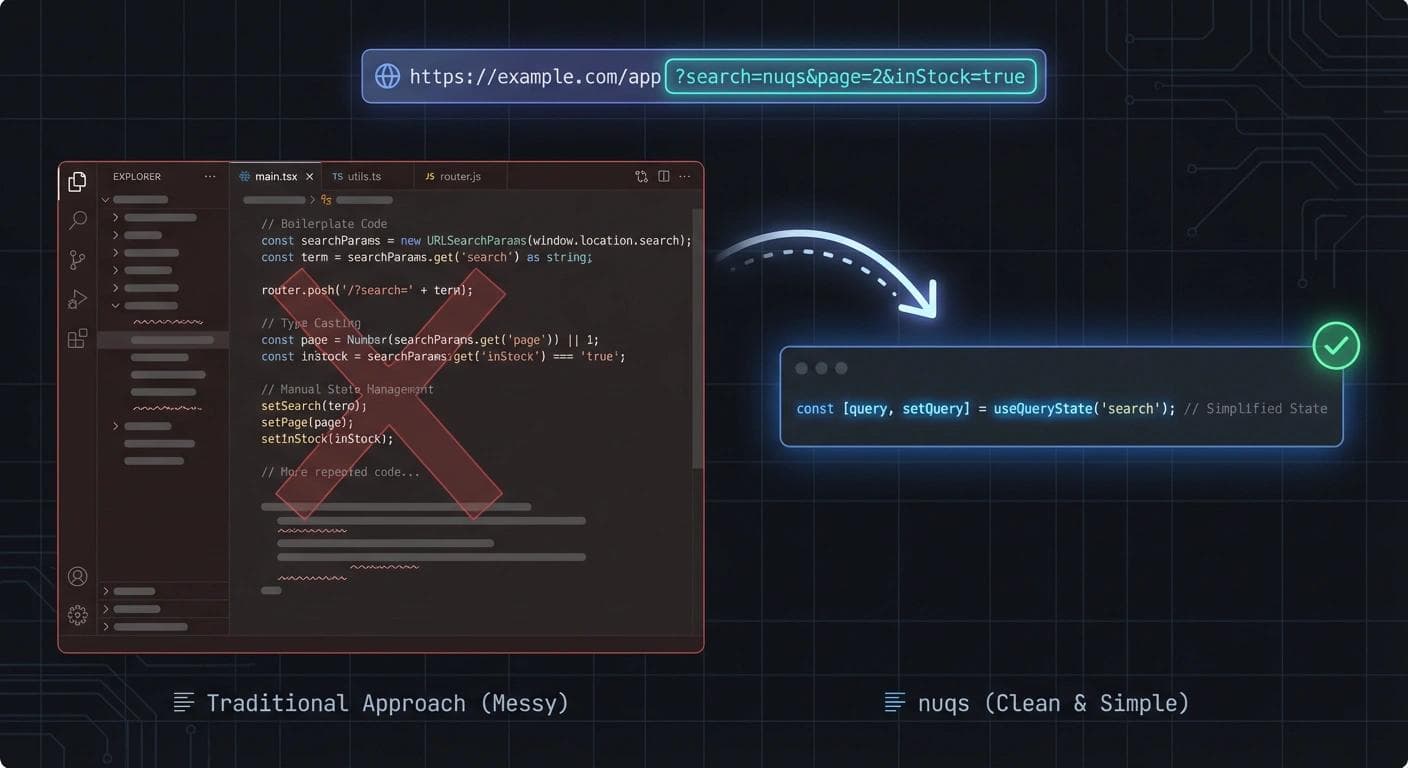
Handling query parameters the standard way means a lot of boilerplate for something that should be simple. Even a basic search input requires you to pull useSearchParams to read the current value, manually parse it from a string, create a new URLSearchParams object every time you want to update it, call router.push or router.replace with a manually constructed string, and handle all the edge cases — null values, undefined, invalid types — yourself. Every single component that reads or updates the URL has to repeat this entire process.
Here's what that looks like for a simple search field:
// ❌ Before nuqs
export default function Search() {
  const searchParams = useSearchParams();
  const router = useRouter();
  const search = searchParams.get('q') || '';

  const handleSearch = (value: string) => {
    const params = new URLSearchParams(searchParams);
    params.set('q', value);
    router.push(`?${params.toString()}`);
  };

  return (
    <input
      value={search}
      onChange={(e) => handleSearch(e.target.value)}
    />
  );
}
And everything is a string. No type safety. You cast everything manually and hope for the best.
Now here's the same component with nuqs:
// ✅ After nuqs
export default function Search() {
  const [search, setSearch] = useQueryState('q');

  return (
    <input
      value={search || ''}
      onChange={(e) => setSearch(e.target.value)}
    />
  );
}
That's the entire component. It reads from and writes to the URL, and it looks exactly like useState.
It Gets Even Better with Multiple Filters
The boilerplate pain becomes even more obvious when you have multiple filters working together — a category selector, a price range input, an in-stock checkbox. Manually, this turns into a wall of code:
// ❌ Before nuqs — multiple filters
export default function Search() {
  const searchParams = useSearchParams();
  const router = useRouter();

  const category = searchParams.get('category') || 'all';
  const minPrice = Number(searchParams.get('min')) || 0;
  const inStock = searchParams.get('stock') === 'true';

  const updateFilters = (filters: any) => {
    const params = new URLSearchParams(searchParams);
    params.set('category', filters.category);
    params.set('min', String(filters.minPrice));
    params.set('stock', String(filters.inStock));
    router.push(`?${params.toString()}`);
  };

  return (
    <>
      <select value={category} onChange={(e) =>
        updateFilters({ category: e.target.value, minPrice, inStock })
      }>
        <option>all</option>
        <option>electronics</option>
      </select>

      <input type="number" value={minPrice} onChange={(e) =>
        updateFilters({ category, minPrice: Number(e.target.value), inStock })
      } />

      <input type="checkbox" checked={inStock} onChange={(e) =>
        updateFilters({ category, minPrice, inStock: e.target.checked })
      } />
    </>
  );
}
With nuqs, you use useQueryStates and pass in parsers that handle the type conversion for you:
// ✅ After nuqs — multiple filters
export default function Search() {
  const [filters, setFilters] = useQueryStates({
    category: parseAsString.withDefault('all'),
    minPrice: parseAsInteger.withDefault(0),
    inStock: parseAsBoolean.withDefault(false)
  });

  return (
    <>
      <select value={filters.category}
        onChange={(e) => setFilters({ category: e.target.value })}>
        <option>all</option>
        <option>electronics</option>
      </select>

      <input type="number" value={filters.minPrice}
        onChange={(e) => setFilters({ minPrice: Number(e.target.value) })} />

      <input type="checkbox" checked={filters.inStock}
        onChange={(e) => setFilters({ inStock: e.target.checked })} />
    </>
  );
}
Every value comes out already typed. No casting, no edge case handling.
Arrays in the URL
Storing arrays in query params — like a multi-select tag filter — is one of the more annoying things to do manually. You have to use getAll, loop through values, append each one individually, and rebuild the URL string:
// ❌ Before nuqs — arrays in URL
export default function Search() {
  const searchParams = useSearchParams();
  const router = useRouter();
  const tags = searchParams.getAll('tag');

  const updateTags = (newTags: string[]) => {
    const params = new URLSearchParams();
    newTags.forEach(tag => {
      params.append('tag', tag);
    });
    router.push(`?${params.toString()}`);
  };

  return (
    <select multiple value={tags}
      onChange={(e) => updateTags(
        Array.from(e.target.selectedOptions, opt => opt.value)
      )}>
      <option>react</option>
      <option>nextjs</option>
      <option>typescript</option>
    </select>
  );
}
With nuqs, parseAsArrayOf handles everything:
// ✅ After nuqs — arrays in URL
export default function Search() {
  const [tags, setTags] = useQueryState(
    'tag',
    parseAsArrayOf(parseAsString).withDefault([])
  );

  return (
    <select multiple value={tags}
      onChange={(e) => setTags(
        Array.from(e.target.selectedOptions, opt => opt.value)
      )}>
      <option>react</option>
      <option>nextjs</option>
      <option>typescript</option>
    </select>
  );
}
Debouncing Without the Mess
One last thing worth highlighting: nuqs has built-in support for debouncing. Without it, you'd be manually wiring up useEffect, setTimeout, and cleanup functions every time you want to delay URL updates while the user is typing. With nuqs, that's just a configuration option.
Yousef Saeed
Full-Stack Developer · Cairo, Egypt